
Overview
Query GoVisit directly from Claude Code or ChatGPT/Codex. GoVisit Agent Skills let you ask your assistant about destinations, places, and activities in natural language, using data published on GoVisit. Install the relevant skills and plan your trip in the same conversation—you don’t need to build an app first.
Choose your assistant
For example, after installing the destination and place search skills, ask:
Use GoVisit to find a destination for a relaxed weekend with good food and coastal walks. Then search for places there and include links to their GoVisit profiles.
Your assistant uses the installed skills to call GoVisit and bring the results back into your conversation. Install additional skills from the catalogue below when you want to read destination details, visiting facts, or published activities.
How skills connect to GoVisit
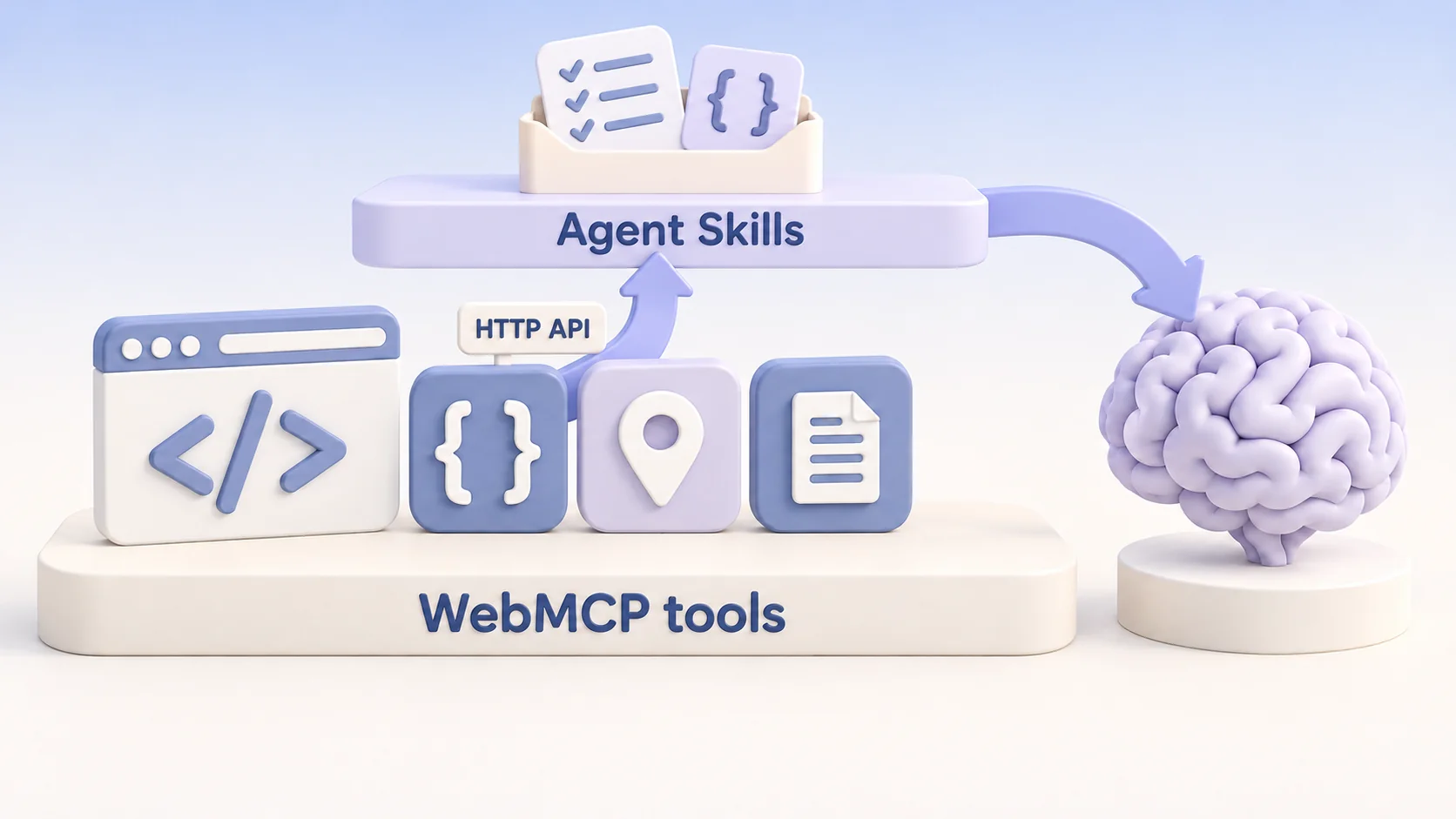
GoVisit Agent Skills are a wrapper layer on top of GoVisit’s WebMCP tools. They package reviewed instructions and versioned contracts so your agent can select a tool, supply the required inputs, call it through its supported API, and interpret its results.
The layers are WebMCP tool capability → supported API → Agent Skill → your assistant. Skills reuse the tools’ capabilities and published travel data. Search skills accept explicit search inputs; page skills require a canonical pagePath to read that page’s published context through HTTP. Each skill reference explains its inputs, access method, and limits.
The use of GoVisit developer tools is subject to the GoVisit Data Use License, which covers permitted use, attribution, and when a separate agreement is required.
Available skills
Search by category, skill name, or description. Select a column heading to sort.
| Category | Skill | Description |
|---|---|---|
| Statistics | Get statistics | Read governed World or Destination catalog coverage counts with observation dates, provenance and explicit missing-data status. |
| Destinations | Search destinations | Find destination candidates by name or traveler intent. |
| Destinations | Get destination overview | Read the published overview for the current destination. |
| Destinations | Get destination section | Read a named section from the current destination page. |
| Destinations | List destination places | List places published on the current destination page. |
| Destinations | Get destination highlights | Read destination highlights published on the current page. |
| Destinations | Get destination categories | List categories published on the current destination page. |
| Places | Search places | Find place candidates within an explicit geographic scope. |
| Places | Get place overview | Read the published overview for the current place. |
| Places | Get place visit facts | Read structured facts published for visiting a place. |
| Places | Get place section | Read a named section from the current place profile. |
| Places | Get related places | List places related to the current place. |
| Categories | Get category overview | Read the published overview for the current category. |
| Categories | Get category section | Read a named section from the current category page. |
| Categories | List category places | List places published in the current category. |
| Collections | Get collection overview | Read the published overview for the current collection. |
| Collections | Get collection section | Read a named section from the current collection page. |
| Collections | List collection places | List places published in the current collection. |
| Activities | Get destination activities | Read activities (things to do) published on the current destination page. |
| Documentation | Search documentation | Find published GoVisit documentation pages. |
| Documentation | Read documentation page | Read a published documentation page and its available sections. |
| Documentation | Read published page FAQs | Read FAQs published with a GoVisit page. |
Find and update packages
The Agent Skills discovery index publishes canonical package URLs and SHA-256 digests. Read the index before installing or refreshing a skill, and update the complete package when its digest changes. Installed copies are snapshots and do not update automatically.
Install skills in flat govisit-<skill-name>/ directories and give the installed SKILL.md frontmatter name the same prefix. This keeps GoVisit skills distinct from similarly named skills in your harness. The archive URLs and discovery-index names stay canonical: verify the original archive before applying the local installation name. The installation prompts and Python examples on each skill page follow this convention.
Each skill page includes installation guidance, examples, interpretation limits, and links to its underlying WebMCP tool references. Browse the WebMCP tool list to see the wider set of capabilities. The Developers overview explains how skills fit into the wider GoVisit developer experience.
Anthropic and OpenAI logos belong to their respective owners.